Claude Cowork × Tapter MCP
You can now connect Tapter to Claude as an MCP connector and manage your links right from the chat. Step-by-step guide below.

By connecting Tapter to Claude, you manage your links right inside the chat: create and edit pages, add blocks, and upload images — on your behalf and without a password.

Connector address

Add Tapter to your MCP client at this address:

https://tapter.one/mcp

Tapter will ask you for access itself.

Step 1. Open connectors in Claude

You connect it inside the Claude (Cowork) app. Open Settings and go to the Connectors section.

Step 2. Add the Tapter address

Click Add custom connector and paste the address:

https://tapter.one/mcp

Confirm — Claude recognizes Tapter as an MCP server and offers to sign in.

Step 3. Grant access

A Tapter window will open asking for access. Make sure the app is Claude and the return address is claude.ai (it can’t be faked), then click Allow. You’ll return to Claude already connected.
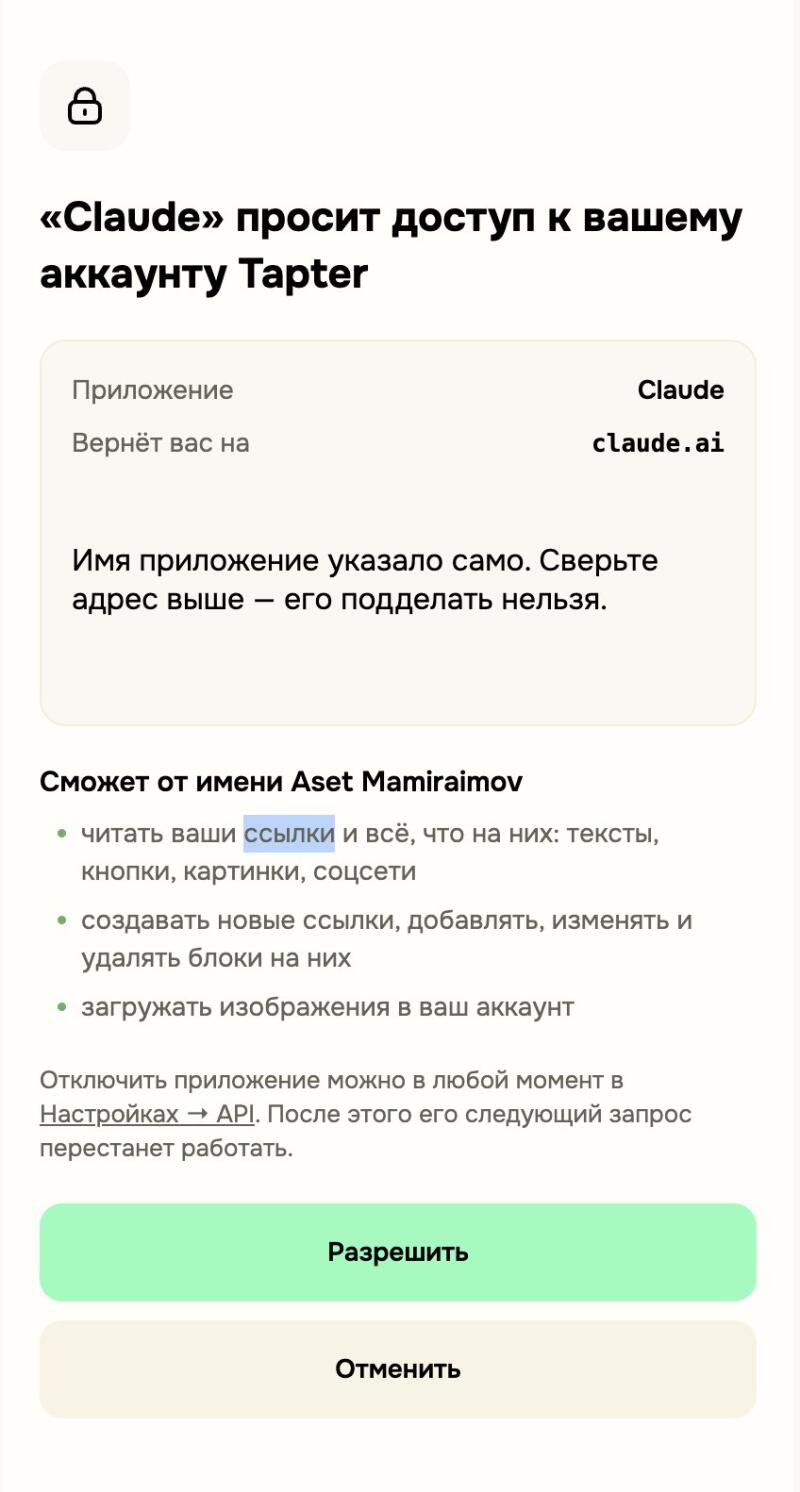
На мобильном экране показан запрос согласия для приложения «Claude» на доступ к аккаунту Tapter, с перечислением разрешений (читать ссылки, создавать блоки, загружать изображения) и кнопками «Разрешить» и «Отменить».
Step 4. Done — try it

The connector is active. Ask Claude, for example: “show my Tapter links” or “add a phone button to the page” — and it will do it on your behalf.

Where to find this in Tapter

You can manage access in the Tapter app: open Settings → API access.
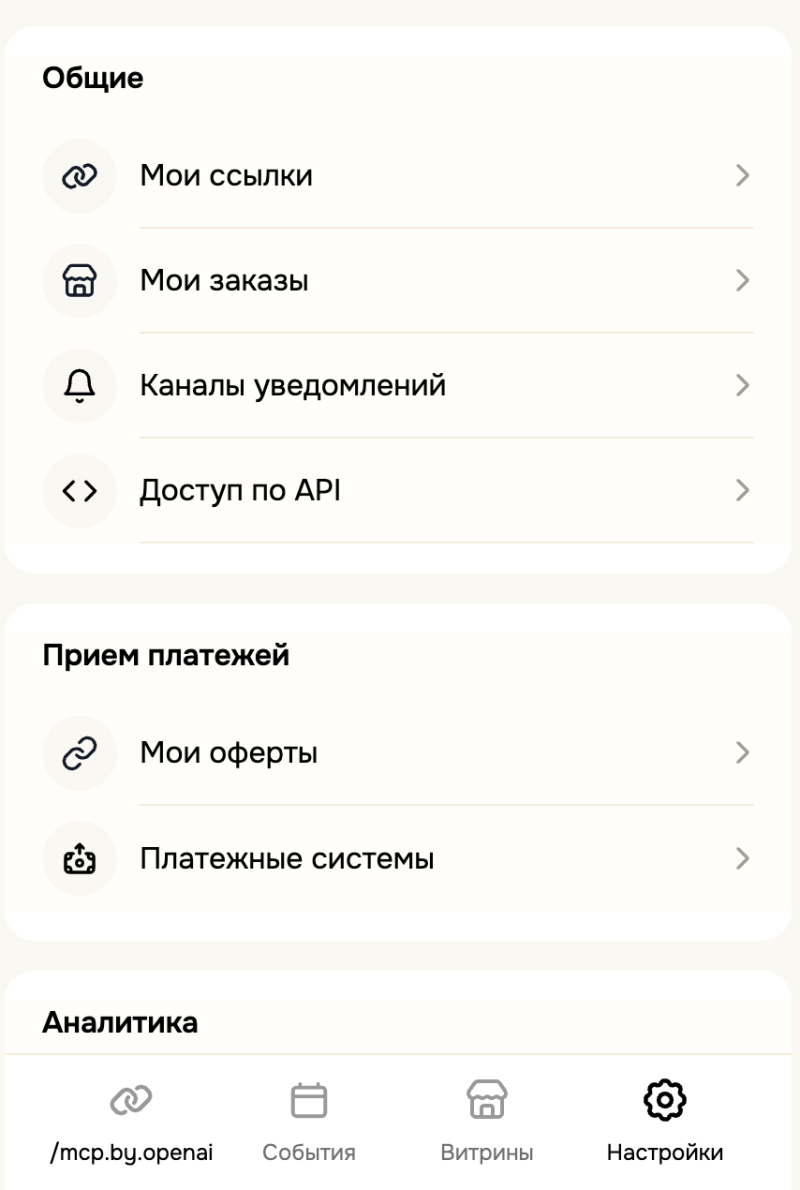
Экран мобильного приложения с настройками, разделенными на категории 'Общие', 'Прием платежей' и 'Аналитика'. Экран содержит пункты меню, такие как 'Мои ссылки', 'Мои заказы', 'Каналы уведомлений', 'Доступ по API', 'Мои оферты' и 'Платежные системы', а также нижнюю панель навигации с иконками для ссылки с текстом '/mcp.by.openai', 'События', 'Витрины' и 'Настройки'.

The API access screen shows every connected app and AI agent. From here you can revoke access at any time.
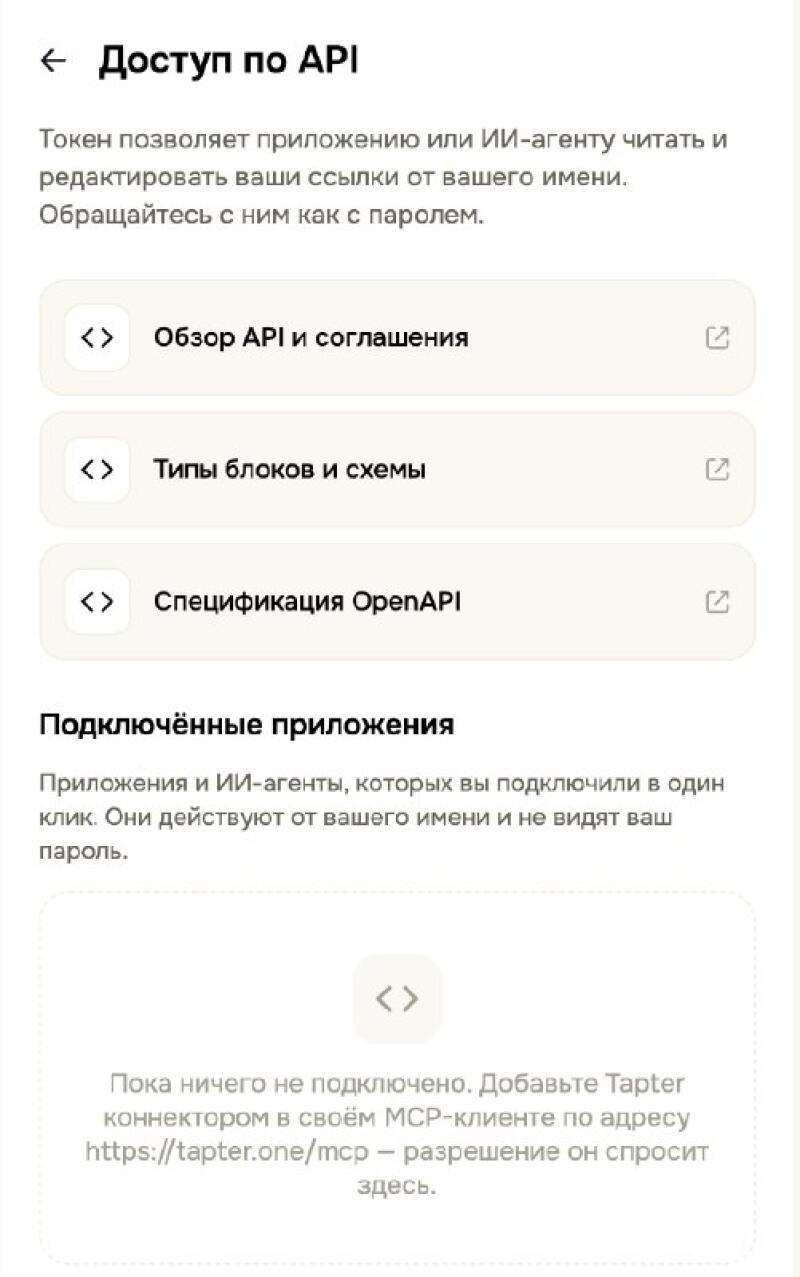
Мобильный экран с заголовком «Доступ по API» и вводным текстом о токенах. Он содержит пункты «Обзор API и соглашения», «Типы блоков и схемы» и «Спецификация OpenAPI». Раздел «Подключённые приложения» гласит: «Пока ничего не подключено. Добавьте Tapter коннектором в своём MCP-клиенте по адресу https://tapter.one/mcp – разрешение он спросит здесь».
FAQ
Is it safe?
The app acts on your behalf and never sees your password. You can revoke access at any time in Settings → API access.
What can Claude do?
Read your links and everything on them: text, buttons, images, socials; create new links, add, edit, and delete blocks; upload images to your account.
How do I disconnect?
Open Settings → API access, select the app, and turn it off. Its next request will stop working.
Other languages · Другие языки